
 July 2, 2026 in


Realistic Soil & Fertilizer Mod for Farming Simulator 25
Adds depth and realism to soil management and fertilization in FS25. This mod introduces dynamic soil fertility, nutrient cycles, and realistic fertilizer economics, making farming more challenging and strategic.
Key Features:
• DYNAMIC SOIL FERTILITY: Tracks nitrogen, phosphorus, and potassium levels for each field. Soil nutrients deplete as crops grow and recover when fields are fallow.
• REALISTIC NUTRIENT CYCLES: Different crops extract different nutrients. Organic matter content affects long-term fertility. pH levels impact nutrient availability.
• FERTILIZER ECONOMICS: Three fertilizer types with varying costs and effectiveness:
– Liquid Fertilizer: Balanced nutrients, moderate cost
– Solid Fertilizer: Higher phosphorus, standard cost
– Manure: Improves organic matter, lower cost
• CUSTOMIZABLE DIFFICULTY:
– Simple: Reduced nutrient depletion, lower costs
– Realistic: Balanced gameplay, standard settings
– Hardcore: Rapid nutrient depletion, higher costs
• USER-FRIENDLY INTERFACE:
– Integrated into game settings menu
– Console commands for advanced control
– Real-time notifications for low nutrients
– Field-specific soil information
• FULLY COMPATIBLE:
– Multiplayer supported
– Works with all maps
– No conflicts with other mods
– Save game compatible
Gameplay Impact:
– Makes fertilizer management more important
– Encourages crop rotation strategies
– Adds economic planning element
– Increases realism without excessive complexity
Console Commands Available:
– soilfertility (show all commands)
– SoilEnable/Disable
– SoilSetDifficulty 1/2/3
– SoilFieldInfo
– SoilShowSettings
– SoilResetSettings
Installation: Extract to your mods folder. Configure in-game settings under “Soil & Fertilizer” section.
This mod is perfect for players who want more depth from their farming experience without overwhelming complexity. It strikes a balance between realism and playability, making soil management a meaningful part of your farm strategy.
Note: This mod does not affect crop growth rates directly – it adds management layers around soil health and fertilizer economics.
Enjoy more realistic farming!
v2.4.5.0 – Crop diseases and fungicides, compaction yield fix, Simplified Chinese
New: crop disease and fungicide system
Fields now catch named, crop-specific fungal diseases
Scout a field (Shift+K) to identify the disease and the best fungicide to use
23 real fungicides, each with per-disease effectiveness, timing and weather rules
Match the right chemical to the disease, the wrong one only half works
Crop rotation and soil health now raise or lower disease pressure
New Disease Difficulty setting: Easy / Normal / Hard
Console commands: SoilScout, SoilTreat, SoilFungicides, SoilSetDiseaseDifficulty
Fixes
Field compaction can no longer read above 100%, the average is now capped (#713)
High compaction now actually cuts yield (up to 15%), even with nutrients topped up (#713)
Precision Farming is now detected only when it is actually enabled for your save, not just installed in the mods folder
Soil Monitor and applied nutrients now follow the product physically in the tank, even when AI or Courseplay is driving
Other
Field Info box refactored (removed redundant info, added new info lines)
All help texts and documentation are now in sync
Added a Simplified Chinese translation (中文) (#715)
v2.4.4.0 — Soil health, hay yield & monitor fixes
New
Organic matter now affects yield: rich soil (5.0+) gives a small boost, healthy 3.5 to 5.0 is neutral, depleted soil is penalised. OM also builds more slowly, decays a little under constant cropping, and ploughing now burns some off (residue incorporation offsets it).
Mowed hay and grass yield now responds to your soil nutrients (disc, drum and swather mowers included).
Grassland compaction relief without reseeding (#680): grassland weeders/aerators now ease pasture compaction while keeping the sward, and deep grassland sward-lifters like the Latapia 5P1H get full relief with the grass preserved (snapshot before the pass, restored after). The sward-restore for deep tools is experimental, please watch for any flicker or odd grass on restored fields.
Fixed
Subsoilers now FULLY clear compaction. A code quirk meant they were only relieving a small partial amount instead of the full deep-pan clear since the compaction update. All subsoilers now work as intended.
Alfalfa, grass, clover and other perennials no longer get a false “tired field” penalty on later cuts. Alfalfa now behaves like luzerne everywhere.
Subsoilers now properly work organic matter and nitrogen into the soil (the deep pass was barely registering before).
Phantom burnt-weed patches no longer appear on clean fields after a reload. If a field already has them, cultivate or plough it once to clear the existing patches.
Changed
Soil Monitor now shows “Meadow” instead of “Fallow” on meadow fields, and pauses the readouts (showing “Field asleep”) for fields you’ve put to sleep in Field Sentry.
2.4.2.9 brings two fixes you will notice straight away, plus the first full piece of FieldSentry — now with a Farm Tablet app to drive it.
Fixes
Your soil readings stay put after saving and reloading. Compaction no longer resets to 0% after a reload, and a field’s expected yield no longer drifts on its own. This also closes a loophole: if you lime a growing crop and pick up the burn penalty, you can no longer dodge it by saving and reloading, and it will not get stuck on the field.
Texture warnings from the fertilizer piles are cleared. Big thanks to Sabo-7 for catching it and sending the corrected files.
The “What’s New” popup no longer runs its changelog text over the buttons at the bottom. The list is capped to what fits, with a pointer to the full changelog on GitHub.
FieldSentry
FieldSentry decides which fields the soil simulation should actually work on, so it leaves alone what it should and lets you take manual control when you want it:
Put a field to sleep so its soil freezes exactly as it is.
Mark a field as a meadow so it follows grassland rules instead of crop rules.
Flag a decorative or fake field so the mod ignores it.
Set these from the console (SoilBlacklistField, SoilMeadowField, SoilDecoField, and SoilFieldSentry to check a field) or, new in this build, from the Farm Tablet FieldSentry app — per-field status with Sleep and Meadow toggles, admin-gated in multiplayer. Grab the matching Farm Tablet release to use it.
Everything works in multiplayer, and the on-screen status is translated into all 26 languages. Happy farming, and don’t forget: your soil remembers everything.
V2.4.2.7
A bug fix update. No new save needed, your existing save works fine.
Fixed
Settings no longer reset between sessions. Difficulty, Replenishment Rate and other settings now save properly and survive a reload (#637).
Crop names show in your language. The Soil Monitor, map overlay and field panel were showing crop names in English for everyone. They now use the game’s translated names (#635).
Weed and disease protection clears again. The protection status was effectively lasting forever. It now lasts the intended number of in-game days, and harvesting the field clears it too (#639).
No more false “same crop” rotation penalty. A single harvest was being recorded as if you had grown the same crop three seasons running. Fixed (#638).
No more sprayer crash in some mod setups. A function-name clash with another mod could cause error spam and a freeze around the sprayers. Renamed our functions so they no longer collide (#636).
Still being worked on
Multiplayer liquid fertilizer refill on the John Deere sprayers, and the HUD values changing between on foot and in vehicle (part of #636).
v2.4.2.4 — German Translation & Fixes
Hotfix update
If you were on 2.4.1.0 or later and saw missing or white textures across the game, this update fixes it. No save migration needed, just replace the mod and keep playing.
Fixed the major texture loss introduced in 2.4.1.0. The fill plane textures were switched to PNG in that release, which broke the game’s shared pile texture array and dropped textures across the whole game. They are back to DDS now, so piles render correctly again and the unique colour per product is restored.
New: SF fertilizers, lime and organics now work in bulk and silo storage. Any silo or storage bin that already accepts base game fertilizer, lime or manure will now also accept the matching SF products, including bins from third-party storage mods.
Improved: the minimap layer label now shows the full localized name plus its short code, for example “Nitrogen [N]” or “Stickstoff [N]”, using the same translations as the big map (thanks Drehverschluss).
Also in this release
Full German translation, the mod is now fully translated into German (thanks to Drehverschluss for contributing it).
Spray Pass% no longer jumps to 100% before the field is actually fully covered.
The soil compaction layer now shows up on the map and trails heavy vehicles correctly, even when not spraying. A single heavy pass is now clearly visible.
Boom section overlap prevention now works on the centre sections and on the JD R700i and R975i.
Headland turns and nearly-finished fields behave correctly right up to full coverage.
Session pass% now resets when you plow, cultivate, or a new day starts.
A full-codebase review pass with 14 extra bug fixes and polish.
What’s new in v2.4.2.3
Overlap Prevention — Major Fixes
Fixed: Centre/mid boom section no longer sprays over already-visited ground — self-propelled sprayers (Agri-Dino and similar) had no tip node for their centre section, silently bypassing the cell check entirely. Now falls back to the vehicle root position; grace period removed for root-fallback sections since the current-pass cell is always unstamped ahead of the nozzle
Fixed: Centre section visual spray effect now stops when all boom sections are overlap-suppressed — non-VWW centre work areas render via spec.effects / sprayTypes, which are separate from the per-section VWW effects and were not being stopped
Fixed: Tank no longer drains when all sections are overlap-suppressed — the centre work area was still calling processSprayerArea via the base Sprayer path; now blocked at the instance level during full suppression
Fixed: Overlap prevention now correctly fires at field edges and headland turns — vehicle root leaving the field polygon would return fieldId = 0 and bail early; now falls back to _sfLastKnownFieldId
Fixed: Spray trail dots now clear when overlap prevention kicks in at ~99% — threshold aligned from >= 1.0 to >= 0.99 to match the suppression gate
Minimap
Fixed: Soil layer indicator now shows on all minimap sizes (circle, square, large square) — layout coords are terrain UV space, not screen space; now uses HUDElement:getPosition() correctly
Fixed: Layer indicator label was dropped due to Lua multi-return truncation — getPosition() mid-argument-list only returned x; fixed by capturing into locals first
Fixed: Minimap pass% now persists across save/reload (#608)
Fixed: Minimap layer cycle key now works while inside a vehicle (#609)
Other
Fixed: Overlap prevention no longer fires on pre-fertilized or previously-sprayed fields (#600) — density-map check replaced with session-cell tracking so only ground sprayed in the current session counts
Fixed: Version dialog no longer overflows — changelog trimmed to current version entries
Fixed: Overlap prevention grace period reduced to 10 s (was 20 s)
v2.4.1.7
Bug fixes and Smart Sensor panel restoration.
Fixed spray visuals on non-custom-nozzle sprayers (Condor and similar). Vanilla particles were being suppressed when See & Spray threshold wasn’t met, leaving no visual at all.
Fixed LIME missing from FERTILIZER granular spreaders via the fill unit hook.
Fixed GYPSUM rejected by dedicated lime spreaders. Now accepted the same way manure spreaders handle compatible types.
Fixed Treatment Dialog crash when imperial units are enabled. Constants were at the wrong path (SoilConstants.KG_PER_HA vs SoilConstants.SPRAYER_RATE.KG_PER_HA).
Restored Smart Sensor panel on the HUD. Shows See & Spray purchase status (weed/pest/disease) per vehicle with live pressure readings. Green = purchased, grey = not purchased.
Fixed Smart Sensor panel overlapping the Variable Rate panel. It now stacks below it correctly.
v2.4.1.1 — Hotfix
Dry spreader visuals — UREA, AMS, MAP, DAP, POTASH and other solid fertilizer types now show the spreading particle visual correctly (was completely invisible before)
Sprayer visuals — HERBICIDE, INSECTICIDE, FUNGICIDE spray mist restored
Overlap prevention — outer boom nozzles now correctly fade out when their tip passes over already-sprayed ground on the final field swath
HUD toggle — harvester panel and sprayer info panel now respect the HUD visibility toggle (numpad /)
v2.4.0.0 — Sprayer Overhaul + Bug Fix Release
New: Custom Sprayer Vehicles
Added John Deere R700i (28 m boom) and R975i (36 m boom) with full per-nozzle section control (SFNozzleEffects)
New: Work Trail Overlays
Tillage operations (plowing, cultivating) now leave a visible work trail on the HUD and minimap — same system as spray trails
Sprayer / Variable Rate Fixes
Fixed: Variable rate + auto rate no longer double-reduces nutrient gain — applying at 50% now correctly delivers 50%, not near-zero
Fixed: Spray visual effects no longer fire when the boom is folded or the vehicle is fully stopped
Fixed: Transition-based visual suppression prevents effect overlap when switching spray types mid-field
Fixed: Field edge/boundary sections (boom tip midpoint off-field) now always receive full nutrient credit
Soil Monitor / HUD Fixes
Fixed: HUD always shows field averages — local cell values no longer temporarily overwrite the average during spraying
Fixed: Ghost bar (projected nutrient gain preview) now correctly applies the Replenishment Rate difficulty multiplier
Fixed: High/low tick marks on soil bars now render at the correct position
Harvest Fix
Fixed: Yield modifier no longer drops progressively during a multi-pass harvest — frozen at first harvest call and held stable for the full crop cycle
Map / Overview Fixes
Fixed: Map cell tooltip bars now show numeric values (N/P/K as %, pH as decimal, OM as %) — previously just unlabeled bars
Fixed: Phosphorus fair/good threshold in the farm overview panel now matches all other soil displays (was stale at 45, corrected to 40)
Fixed: Minimap soil overlay anchoring corrected — no more flicker or drift on large maps (#547)
Pricing
Rebalanced purchase prices across all 20 custom fertilizer types to better reflect real-world cost ratios
V2.3.7.0
– The application rate setting (gal/ac or L/ha) now correctly changes how much product is physically applied.
– Weeds bar in the Soil Monitor renamed to “Weed Risk” to avoid confusion.
– The Sprayer Info Panel and Harvester Panel can now be resized — drag the corner handle to scale between 0.5× and 2.5×. Size is saved between sessions.
– Harvester stats bar now shows real data: session grain volume, field area, and days since last harvest (previously showed spray coverage values which were always 0 during harvest).
– Sprayer info panel stats bar added, showing: spray coverage %, session area, field area, and days since harvest.
– Sprayer info panel now filters out trace nutrients — if you’re applying a P product, only the P bar shows (no more ghost N bar at 11 when P is 411).
– Work Trail toggle in Settings → HUD & Display → Visibility. Turn the spray-pass and harvest-pass dot overlays on or off, both in-world and on the minimap. Default is on.
v2.3.6.0 — Harvest Trail, Stats Bar & Bug Fixes
What’s new
Harvest trail overlay. Amber dots now appear in the game world and on the minimap showing exactly where your combine has passed. The trail resets each game day and clears automatically once the full field is covered — a satisfying visual reward when you finish a field.
Harvester panel stats bar. The bottom of the harvester HUD panel now shows 4 live stats: estimated yield (t/ha based on soil efficiency), field coverage % with a mini progress bar, session area harvested (ha), and total field area (ha). Inspired by the Precision Farming DLC layout.
What’s fixed
Weed pressure spikes on reload or time-skip — pressure increases are now capped at 20 pts/day so weed severity rises gradually instead of jumping overnight
Application rate multiplier not shown — the SF rate multiplier is now displayed in the sprayer panel title bar so you always know the active rate at a glance
Colorblind mode not auto-enabling — colorblind mode now activates automatically when the game’s own accessibility setting is turned on
Translation
French translation updated (contributed by Seb) — full sync including new keys.
Save compatibility
Fully compatible with existing saves. No migration needed.
v2.3.5.0 — Minimap spray trail fix
What’s fixed
Minimap heatmap now shows where you’ve sprayed. Previously, the soil nutrient overlay on the HUD minimap was silently reset to the field average once per game day, erasing any per-pixel spray contrast. Sprayed areas now stay visually distinct from unsprayed areas — you’ll see the fertilized portion gradually shift to a greener shade as you work across the field.
Minimap resize flicker eliminated. The overlay no longer flickers or mis-aligns when the minimap transitions between size states.
Save compatibility
Fully compatible with existing saves. No migration needed.
v2.3.4.0 – Performance: fix FPS drops during spraying
Significant FPS drops when spraying with wide boom sprayers (6+ sections) are resolved. The mod now runs much more smoothly during all fertilizer, pesticide, herbicide, and fungicide applications.
Hotfix — v2.3.2.0
Fixed
HUD minimap: Soil nutrient overlay now renders correctly again. The guard against PDA rendering was using strict == true equality; the engine stores isFullscreen as integer 1, not boolean true, so the guard was silently failing.
PDA map: Reverted to the reliable field-polygon tile rendering from 2.2.5. The DMV-based approach caused the PDA to show only the sprayed strip (no whole-field coverage) and at incorrect scale. Tiles are field-clamped and work without any GRLE data dependency.
PDA no longer mirrors minimap content: The PDA was inheriting the minimap’s DMV overlay and rendering it at PDA coordinates, causing a small misaligned strip to appear.
What’s new in v2.2.5.0
Bug Fixes
Fixed HUD edit mode (Shift+H) camera orbiting while moving the mouse — cursor lock now re-applied every frame
Fixed weed pressure bar oscillating after partial herbicide spray — same-day application is now sticky against the daily weedFactor read
Fixed Weeds/Pests/Disease % values misaligned in HUD — now correctly left-aligned after their bar (matching N/P/K layout)
Fixed version dialog not appearing on load when the mod was previously disabled by the Precision Farming incompatibility gate
Fixed Precision Farming detection still checks via mod manager — Remove it out of your mods folder
Fixed startup crash when fill type category lookup returns raw indices instead of descriptor objects
Fixed version dialog suppressed by crashes during initialisation — dialog is now queued before any risky init code
Translations
French (fr) — Full translation update contributed by community member Seb
What’s new in v2.2.4.0
Bug Fixes
Soil Monitor HUD
Fixed panel layout: compaction %, coverage (Pass%), and hint rows were rendering outside the panel box at all scales (#477, #481, #482, #483)
Fixed coverage (Pass%) row showing when not inside a fertilizer applicator (#484)
Fixed edit mode camera orbit — dragging the HUD panel no longer causes the camera to drift (#473)
Fertilizer Application
Fixed liquid lime not writing the white lime overlay to the field — LIQUIDLIME now correctly remaps to the LIME density map ground type (#480)
Fixed big bag filling: UREA, MAP, AMS, DAP, POTASH, POLIFOSKA and all other custom solid fertilizers can now fill spreaders via the BigBag attachment system. Root cause: fill type categories were named SPREADER/SPRAYER instead of FERTILIZER/LIQUIDFERTILIZER, bypassing the BigBag category check. POLIFOSKA was also missing from the category entirely.
Fixed HERBICIDE-only sprayer slots being stripped of their vanilla HERBICIDE fill type — herbicide application visual effects are restored (#478)
Sprayer Rate Panel (Auto Mode)
Fixed OM-primary products (COMPOST, MANURE, DIGESTATE, BIOSOLIDS, etc.) showing N/P/K targets in the auto rate display — they now correctly show the OM% target (#472)
Improvements
COMPOST and PELLETIZED MANURE now also accepted by dedicated manure spreaders (in addition to FERTILIZER-based spreaders)
What’s New in v2.2.3.9
Translation Preparation
Soil Guide dialog is now fully translation-ready: 216 l10n keys added across all 26 languages
All 5 tabs (Overview, HUD Guide, Workflow, Products, F.A.Q.) — every heading and body line has an l10n key
All languages start with English text; community translators can now contribute per-language versions
Bug Fixes
PDA tab icon was invisible (transparent color) — now displays correctly
PDA Farm Overview was missing the OM column — added between pH and Status columns
Field Detail dialog content was clipping at the bottom — dialog height increased from 660px to 700px
Shop was missing all big bags and liquid tanks — build process now correctly includes the objects/ folder (98 entries)
Hotfix v2.2.3.8
Bug Fixes
#457 Spray effects no longer persist when Courseplay folds the sprayer mid-operation
#458 Soil Guide FAQ: replaced settings/admin entry with yield penalty explanation (GOOD=no penalty, FAIR=5-15%, POOR=up to 40%)
#459 Field Detail dialog height increased (615→660px) — content rows no longer clip at the bottom
#460 N/P/K/pH/Status column headers in PDA screen now right-aligned to match data cells
#461 Soil Guide Overview: FAIR status entry now correctly wraps across two lines
#462 Soil Guide HUD page: tick mark labels consistent (“Bar is GREEN”); Smart System Panels section trimmed to prevent column overflow
Soil Guide dialog height increased to prevent column content clipping (bg: 900→930px)
Other
modDesc descVersion updated to 108
Version dialog changelog refreshed
V2.2.3.6
Fixed several bugs that are not written down here (PR#444)
Fixed multi-purchase pricing: buying 2+ big bags charged double the correct price
Fixed spray rates for herbicide/insecticide/fungicide: 1.5 L/ha → 100 L/ha realistic carrier rate
Fixed AN 34.5 Dry not loadable into spreaders on some setups
Fixed dedicated server fill type registration failure (retry mechanism for late-loading fill types)
Fixed issue where only the mid section of the boom would spray
Fixed field pass % counter resetting incorrectly when switching products mid-field
Fixed auto spray rate using generic N/P/K targets instead of per-crop optimal targets
Fixed herbicide/insecticide/fungicide granting field protection before 80% coverage reached
Fixed Smart Sensor status showing blank when pest/disease pressure is zero
Fixed minimap tile size mismatch on large maps (dots now align to 10m soil cells)
Added minimap soil layer gradient: each tile now shows the actual per-cell soil color (not just field average)
Added minimap zoom: bind a key to SF_MINIMAP_ZOOM to cycle 1x / 2x / 4x zoom
Added pH bar in soil HUD: center-anchored bar shows acidic/alkaline deviation with threshold ticks and ghost bar
Added lime/OM crop burn: applying lime to growing crops triggers -80% yield penalty at harvest (OM: -20%)
V2.2.3.5
Caution
This release marks a end on integrating with Precision Farming
From this release until the next “mayor” release i will focus on all the remaining bugs.
If not already please report as detailed as possible the issues you have when using the mod.
BE AWARE
This release does not fix any releated issues for dedicated servers!
That said it is known that most custom maps would not let us inject our types. There for a mod like Unlimited FillTypes can be used alonside ours. For one it might work out all fine, and for others not… This will be a focus AFTER bugs are one!
V2.2.3.3
– POLIFOSKA now works end-to-end — loads into spreaders, drains at the correct rate, shows the right visual effect, and is available to refill at the shop
– Precision Farming and THPF now correctly recognize POLIFOSKA as a fertilizer product
– Settings panel now scrolls when a category has more items than fit on screen
– French translation fully updated by native speaker Seb/Squall39
What’s new in v2.2.2.4
Fixed: version dialog text clipping
The startup version dialog now displays correctly at all resolutions. Text lines no longer clip or overflow the edges of the dialog box.
V2.2.2.1
Bug Fix
Fixed a crash on the HUD panel on first load. The soil HUD could throw a script error immediately after entering a field if the display hadn’t refreshed yet — resulting in a log warning and a blank field name line. This is now handled gracefully.
No save migration needed. Safe to drop in over v2.2.2.0.
V2.2.1.0
– NEW: Polifoska 6-20-30 compound NPK fertilizer (big bag, dry granular)
– NEW: Yield efficiency indicator on the HUD
– NEW: Treatment rate display on the HUD
– NEW: Full Hungarian translation by @MathiasHun
– Fixed: Sprayer implements losing their rate-control panel after loading a save
– Fixed: Large combines not depleting nutrients — header position now used as fallback
– Fixed: Weed pressure formula was inverted (clean fields penalised, weedy fields not)
– Fixed: Bare fields showing 100% weed coverage
– Fixed: Rain effects (leaching, seasonal nitrogen) were not running
– Fixed: Crop protection effects applying even with Nutrient Cycles disabled
– Fixed: PF Compatibility Mode toggle now takes effect without a reload
V2.2.0.1
What’s new
In-game help guide — press the ? button in the PDA Soil screen for a full nutrient reference, crop targets, and tips without leaving the game
Soil map overlay Help button — a new 4th button in the overlay sidebar explains layers, colours, the cell tooltip, and controls in-context
Fixes
Field Detail popup no longer crashes — all nutrient and pressure rows show correct colour-coded values
Treatment plan now tells you the exact product to use instead of the vague “Apply blended FERTILIZER”:
Phosphorus (fair) → Liquid MAP, Liquid DAP, or DAP
Potassium (fair) → Liquid Potash or Potash
Compost fill plane no longer overrides custom visuals defined by map authors
pH display — the value shown in the HUD and the colour on the map tile now always match
Performance
Soil map overlay now only draws fields you own — previously it was painting tiles for every unowned parcel on the map. Big FPS improvement on large maps and community servers
Sprayer smoothness — reduced background overhead while the boom is running across large fields
HUD nutrient panel — lighter on CPU; values are pre-calculated instead of reformatted every frame
Multiplayer join — less data exchanged when connecting to a server with many fields
Save compatibility
No changes to save data — drop in the new zip and keep farming.
V2.2
The Map Finally Tells Your Field’s Real Story
This is the biggest update since launch. Three things changed in a big way.
🌱 Precision Farming DLC Support
If you run the Precision Farming DLC, your N/P/K bars now read live sensor data as you drive. The bars update in real time as you move across different parts of the field — you’ll see the variation with your own eyes as you cross from a fertilized strip into one that was missed.
🗺️ The Map Shows What’s Actually Happening — Per Zone
The soil overlay has been rebuilt so it shows real per-zone data, not just a single colour for the whole field.
Lime the east half of a field and come back — the east shows green (optimal pH), the west still shows yellow (acidic). Two halves of the same field, two different stories. The map now reflects that.
Over-limed areas (pH above 7.0) now show red. Too much lime locks out nutrients just as badly as too little — the map makes that visible now. And when you spray or spread, the tiles update the moment you click them. No more stale colours.
🔍 Click a Tile — See Only What Matters
The info box that appears when you click a map tile is now layer-specific. It shows you only what’s relevant to the layer you’re looking at:
Layer What you see
Nitrogen / Phosphorus / Potassium Your current level, your crop’s target, and exactly how many ppm you’re over or short
pH Your reading, the condition (Optimal / Acidic / Over-limed), and what to do about it
Organic Matter Your OM %, and whether it needs attention
Field Urgency Score out of 100, what’s limiting your field most right now, current crop
Weed / Pest / Disease Pressure %, and whether your protection product is still active
Compaction Compaction %, and whether subsoiling is recommended
No more wall of numbers. You opened the pH layer because you’re thinking about pH — the box talks about pH.
“How Much More Does My Crop Actually Need?”
The N, P and K tiles now show the nutrient target for the specific crop growing in that field. Wheat has different needs than potatoes. The tooltip shows the target and tells you whether you’re above it, hitting it, or short — and by exactly how much. Plant potatoes and check the K tile. The number will remind you why potatoes need rotation.
Fixes
N bar tick marks and crop targets now work correctly when Precision Farming mod is active
Straw chopping now builds Organic Matter correctly based on your field’s actual size
Map tiles refresh the moment you click — no more stale colors after spraying lime
Weed, pest and disease protection status now visible directly in the map tooltip
What’s Fixed 2.1.6.9
HUD layout now saves to the correct location — the HUD position/size file was being written to the savegame directory, which dedicated server clients can’t access. It now saves to modSettings/FS25_SoilFertilizer/HUD/ (always writable, per-player).
HUD visibility (J key) saves immediately — previously only saved on game close, meaning the toggle was lost if the session ended unexpectedly.
modSettings folder name corrected — both the settings manager and HUD were writing to modsSettings/ (typo) instead of modSettings/. Per-player settings were silently going to the wrong place.
Organic Matter display fixed — corrupted soilData.xml entries (e.g. from a conflicting mod) could cause negative OM values to appear in the HUD. All write paths now enforce a [0, 10] clamp on load, on fertilizer application, and on network sync deserialization.
What’s New
Current-pass coverage tracker — the HUD now shows spray coverage for the current pass as Pass: 45% (Digestate), even when the field is already at 100% vanilla fertilizer state. Turns green at ≥70%. Resets on harvest.
Debug output files — when debug mode is active (SoilDebug console command), diagnostic files are written to modSettings/FS25_SoilFertilizer/Debug/.
Save Compatibility
Fully compatible with existing saves. No migration needed.
What’s new in 2.1.6.8
Bug fixes
Cell overlay visibility now saves and restores correctly — your map overlay display preference sticks between sessions
Settings that are local-only (display/UI preferences) are no longer written to the savegame file, preventing them from being overwritten when loading different saves
Translations
French translation improved with native translations from community contributor Seb — previously untranslated strings in the colorblind and field info sections are now fully translated
No save migration required. Existing saves load normally.
What’s new in v2.1.6.7
Bug Fixes
Multiplayer stability: Fixed a ping spike / broadcast storm on dedicated servers when cultivating, plowing, mowing, or seeding large fields. Server performance is significantly improved in heavy-use sessions.
Sprayer crash fix: Fixed a nil crash in liquid fertilizer stream events that could occur during rate sync in multiplayer.
Spreader crash fix: Fixed a server crash when using dry fertilizer spreaders — a zone cell packet overflow that could kick players on large fields.
Visual Improvements
Fill plane textures for all custom fertilizer types now use the base game’s built-in textures, matching the visual quality and style of vanilla FS25 fill types.
Notes
No save migration required — drop-in replacement over any 2.1.x save.
What’s new in v2.1.6.5
Added
Colorblind Mode — new toggle in Display settings. Replaces the red/green status palette with an orange/blue (Okabe-Ito) palette safe for deuteranopia and protanopia. Applies to the soil map overlay, legend, HUD bars, cell tooltips, and all dialogs. Per-player setting — each player can toggle independently in multiplayer.
Fixed
Dedicated server crash when using dry fertilizer spreaders (urea/lime) — wide-boom passes generated thousands of zone cells, overflowing the network packet size limit and crashing the server. Zone cell data is no longer broadcast in per-field update events; clients reconstruct from the field aggregate instead.
Soil map tiles not updating after fertilizer application on dedicated server clients — tiles now refresh correctly when a fertilizer event is received.
Save compatibility
No migration needed — existing saves load normally. Colorblind Mode defaults to OFF.
V2.1.6.0
Fixed:
– Potassium fertilizer (potash / liquid potash) now delivers correct K gains.
Rates were too low before — at 70 kg/ha you now gain a meaningful amount of K
instead of barely moving the needle.
– Herbicide applications now correctly reduce weed pressure in the cell report
and soil overlay. Previously the cell data was not updated after spraying.
– Dedicated server: soil cell data (the per-cell overlay) now syncs correctly
to players joining mid-session. Previously clients saw an empty overlay.
– Fields created or expanded mid-session are now detected and tracked immediately.
Previously the mod would ignore them until a full reload.
– Section Control compatibility fix: herbicide and fertilizer applications were
being counted twice, causing incorrect soil penalties. Now counted once.
– Various dedicated server fixes: HUD fallback, network sync, and save state
persistence have all been improved.
– Settings menu and PDA text alignment issues fixed.
New:
– Luzerne and clover are now recognized as legumes. They benefit from low
nitrogen targets and receive a spring nitrogen fixation bonus, matching
real-world agronomic behaviour.
– Weed suppression now scales with crop row closure. Early-season herbicide
applications are more effective; late-season spraying matters less as the
crop canopy takes over naturally.
– Weed, pest, and disease growth speed now scales with your game time speed
setting, so faster time = faster pressure build-up.
– 10,000L big bags added for bulk fertilizer purchasing and storage.
Fully compatible with existing saves. No migration needed.
V2.1.5.7
All 25 languages have been written in their respective language
All 25 translations (627 keys per language) are synced to the english version
V2.1.5.6
– Added new soil map cell dialog (shows detailed info on each cell)
– Tillage tools now release OM and NPK from straw residue
– Added 2 new settings option for residue incorporation and cell report
– Added new translation keys (native needs updating)
– Added new cell report HUD (tracks per-cell)
– Improved mouseEvent in soil overlay
Quick note:
– Go to the in-game map, then select Soil Layers.
– You can now select a single tile and get cell data as a hint tooltip.
– The Soil Monitor keeps showing the average per field.
– The Cell Report will show you per cell data. This HUD overlay can be moved and resized the same way as the Soil Monitor
V2.1.5.5
Added in this release
New fertilizer type: AN 34.5 (textures by @61nian)
Improved the version dialog layout
Fixed a math error in mowing depletion
Fixed a bug in fertilizer application rates
v2.1.5.4 – Hotfix
Fixed
Issue with loading a bigBag with the front wheel loader
Added
Weed canopy suppression and nutrient depletion
What’s new in 2.1.5.0
FS25_RandomWorldEvents integration — When RWE is installed, rain leaching now responds to active world events:
fertilizer_penalty and crop_yield_penalty events increase nutrient leaching during rain (up to 35% more)
fertilizer_bonus and crop_yield_bonus events reduce leaching during rain (down to 80%)
With no RWE installed, rain leaching behaves exactly as before
No save migration required. Compatible with all existing saves.
What’s new in v2.1.0.0
New features
Section Control support — The mod now reads your sprayer’s active boom sections. When you close outer sections at a field boundary, nutrient credit scales to match the portion of the boom actually working. Compatible with vanilla Section Control and Precision Farming.
Per-section field attribution — Nutrient credit is applied at each active section’s world position rather than the sprayer’s centre. This means a wide boom crossing a field boundary correctly attributes nutrients to the right field on each side.
Weed pressure clears on seeding — Sowing a crop now resets weed pressure to zero, matching real-world practice where emergence suppresses weeds. Cultivation weed reduction is also now a full 100%.
Bug fixes
Slurry & manure had almost no effect — Liquid manure, slurry, and digestate were missing from the spray type calibration, causing near-zero soil uptake. Fixed: all three are now calibrated at the correct 14,000 L/ha reference rate.
Coverage indicator showed too little progress — The old cell-based tracker couldn’t account for boom width, so a 28 m sprayer tracked coverage as if it had a 1 m boom. Replaced with an area-based calculation: coverage now advances correctly regardless of boom width.
Harvest dropped too many nutrients on large fields — Nutrient depletion was not normalised by field area. A 5 ha field now loses the same nutrients per tonne of yield as a 1 ha field.
Biosolids and dry chicken manure couldn’t load into manure spreaders — These types are now recognised by both fertiliser spreaders and manure spreaders.
Incorrect white texture on new fill types — Biosolids, dry chicken manure, and other new types now display with correct dark compost textures.
Log file filled with position messages during field work — Cultivation and plowing position messages are now debug-only.
Save game compatibility
Existing saves are fully compatible — no new game required.
V2.0.6.5
What’s Fixed
Minimap overlay now hides during the pause menu — soil layer dots were rendering on top of the pause menu (ESC screen). Fixed with a GUI visibility guard; dots now correctly disappear when any full-screen menu is open
What’s New
Per-crop optimal rate marker — the sprayer rate panel now shows a visual marker at each crop’s recommended application rate, so you can dial in the right amount at a glance
Per-crop nutrient targets in HUD and PDA — nutrient status now reflects per-crop requirements rather than generic thresholds
Big Bag textures have been updated — thanks to @justmartincc for making these textures
Saves
No save migration needed.
V2.0.6
Bug Fixes
RMB cursor no longer appears when Soil HUD is hidden (#242) — pressing RMB (e.g. to reverse a vehicle) no longer triggers the HUD drag cursor when the HUD is toggled off or Show HUD is disabled. The fix also covers the specific repro where pressing G (implement cycle) re-registered input but the visibility guard was missing.
Weed/pest/disease pressure now updates in HUD on dedicated servers (#248) — on dedicated servers, the daily weed, pest, and disease pressure changes were applied server-side but never broadcast to clients. The HUD would only update when a spraying event (herbicide/insecticide) triggered a field sync. Now the daily update automatically syncs any field where pressure changed to all connected clients.
Tank drain confirmed fixed (#244) — the towed-implement tank drain fix (lastSpeed == nil fallback to vanilla) shipped in v2.0.4.0 is confirmed working. Issue closed.
Gypsum, Compost, Biosolids, Chicken Manure, and Pelletized Manure big bags can now be unloaded — these five organic/amendment fill types were missing their references in fillTypes.xml, preventing the game from resolving their big bag objects for the I-key discharge path. All five now match the pattern already in place for UREA, AMS, MAP, DAP, and POTASH.
New Feature
Replenishment Rate setting (#236) — a new server-side setting that controls how quickly fertilizer restores soil nutrients, independently of the Difficulty setting (which controls depletion). Five levels: Very Slow (0.25x), Slow (0.5x), Normal (1.0x, default), Fast (1.5x), Very Fast (2.0x). Accessible in the Settings Panel (Shift+O) → Simulation → Difficulty section. Admin-only in multiplayer, synced to all clients.
Notes
No savegame migration needed — new replenishmentRate setting defaults to 1.0x (Normal), preserving existing behavior.
Existing saves carry forward without any changes required.
V2.0.3
Shop cleanup
Every purchasable item (big bags and IBC tanks) was appearing twice in the shop — once as a single item and once as the multi-buy entry. Only the multi-buy versions now show. Single-item entries are still registered internally so buying works correctly, they just no longer clutter the shop list.
Fertilizer balance fix
Phosphorus delivery from all organic fertilizers was approximately 5× too high, causing fields to saturate after a single slurry or manure pass. Calibrated against real-world agronomic data (UNL Extension G1335):
Slurry / Liquid Manure — P reduced ~4.5×; a depleted field now needs 2–3 passes to reach healthy levels
Manure — P reduced ~6×
Digestate — P reduced ~4.6×
Biosolids, Chicken Manure, Pelletized Manure — P reduced ~5×
Base application rates (14,000 L/ha for slurry) are unchanged. No save migration needed.
What’s new in v2.0.0
Version 2.0 is the biggest update since launch. Four new systems that change how you interact with your fields in meaningful, interconnected ways — and a round of architecture cleanup that makes the codebase cleaner and more resilient for everything that comes next.
🚜 Soil Compaction
Your heavy equipment leaves a mark — literally.
Any vehicle heavier than 8 tonnes (tractor + attached implement combined) now compacts the soil it drives over. Compaction accumulates per field on a 0–100% scale and applies a nutrient extraction penalty of up to 20% at maximum compaction — compacted soil binds nutrients and reduces how much your crops can actually absorb.
To fix it: run a subsoiler across the field. Each pass reduces compaction by 15 points. Leave it alone and natural weathering chips away 0.5 points per game day.
The HUD shows a colour-coded Compaction row (green / amber / red). It’s also available as Map Layer 10 in the PDA overlay, saved to soilData.xml, and fully synced in multiplayer. Toggle it off in settings if you prefer to skip the mechanic.
📡 See-and-Spray Integration
If you’re running Precision Farming’s See-and-Spray nozzles, they now talk to our weed tracking system.
When a nozzle would deactivate because the native weed density map shows no weeds in that spot, the mod checks our own weedPressure field value. If pressure is 20% or higher, the nozzle stays open. The result: our field-level weed tracking feeds directly into the per-nozzle precision spray decision — no more blanket applications where the PF map says “clean” but your crop tells a different story.
Fully guarded — a complete no-op if Precision Farming is not installed.
📊 Per-Cell Coverage Tracking
The sprayer now tracks exactly which soil cells have been covered in a pass.
Coverage fraction is displayed live in the HUD as Coverage: X% / 70% min. The fully-treated field notification (formerly triggered by any application) is now gated on 70% minimum coverage — clipping a corner of a field no longer counts as treating it.
Coverage data is synced to all clients in multiplayer.
🎮 Rebindable HUD Drag
The drag-to-reposition action for the soil HUD overlay is now a proper FS25 input action (SF_HUD_DRAG, default: Right Mouse Button). You can rebind it in the standard FS25 key bindings menu. The old hudDragEnabled toggle in settings has been removed — the action replaces it cleanly.
🏗️ Architecture Improvements
SoilUtils.isPlayerAdmin() — extracted shared admin check from three separate duplicated implementations (closes #217)
SoilFertilityManager:requestChange() — updatePosition() no longer fires for every local-only setting change, only for hudPosition (closes #218)
Load-order guard — SoilFertilityManager.new() now asserts all dependencies are loaded before construction; catches source-order regressions immediately at startup (closes #219)
src/integrations/ — new directory for optional DLC bridges; SeeAndSprayIntegration.lua is the first resident
Closed Issues
# Feature
#217 Extract shared isPlayerAdmin() utility
#218 Guard updatePosition() to hudPosition only
#219 Fix source load-order fragility in main.lua
#220 See-and-Spray Integration
#221 Soil Compaction System
#223 Per-cell coverage tracking
#224 Replace hudDragEnabled with SF_HUD_DRAG input action
V1.9.9.9
A small but important polish update that wraps up v1 development. Three quality-of-life fixes based on your reports, plus a heads-up on what’s coming next.
What’s fixed:
Courseplay conflict — A new “HUD Drag” toggle in Shift+O → Display & HUD lets you disable right-click HUD drag mode. If Courseplay (or any other mod) uses RMB for its own controls, just turn this off. Your HUD position can still be changed via the preset selector in the same panel.
Wrong version shown in settings panel — The Shift+O panel was showing a hardcoded old version number in the title bar. It now always shows the correct installed version.
Dedicated server first boot — HUD appearance settings would sometimes silently fail to save on a fresh dedicated server before the first savegame was written. The failure is now logged clearly so server admins can spot it in the log.
No save migration needed — existing savegames load normally.
V1.9.9.1
Dedicated server join freeze/crash on large maps (255+ fields): full-sync no longer sends all field data in a single blocking packet. Fields are now streamed to the joining client in batches of 32 via SoilFieldBatchSyncEvent, spread across multiple frames with a 50 ms gap between batches. The settings handshake is sent immediately so the client retry timer is cancelled right away.
V1.9.8
This update resolves a long-standing issue that has been present since the very first release of this mod. After countless attempts to track it down and fix it, @61nian found the crucial breakthrough for spreader unloading — which then unlocked the fix for sprayers as well.
✅ No savegame migration needed — just drop in the update and go.
What’s new in 1.9.7.0
Fixed
Liquid sprayer visual effects
Custom liquid fertilizers — UAN-32, UAN-28, Anhydrous Ammonia, Starter 10-34-0, Liquid Urea, Liquid AMS, Liquid MAP, Liquid DAP, Liquid Potash, Insecticide, Fungicide, and Liquid Lime — now correctly show spray effects and play audio while the sprayer is running. Previously the sprayer would work correctly but no visual or sound effect would appear.
Added
Admin page inside the SHIFT+O settings panel
The Drain Vehicle button in the SHIFT+O settings panel has been replaced by an Admin button. Pressing it opens a dedicated admin page listing every available console command — executable as buttons directly in-game, no developer console needed.
No save migration needed — load your existing career save and everything carries over automatically.
V1.9.3
What’s New
IBC Liquid Tanks in the Shop
Liquid fertilizer products — UAN-32, UAN-28, Anhydrous Ammonia, Starter 10-34-0, Liquid Urea, Liquid AMS, Liquid MAP, Liquid DAP, Liquid Potash, Insecticide, and Fungicide — are now available as IBC-style liquid tank objects instead of big bag pallets. Single-unit and multi-purchase options are available for all types.
Purchasable Gypsum Big Bag
Gypsum can now be purchased directly from the shop as a big bag. Apply with a spreader to correct pH and improve soil structure.
SoilDrainVehicle Console Command
Stuck with a tank full of the wrong product and no way to empty it? Type SoilDrainVehicle in the developer console to drain all custom fertilizer fill types from your current vehicle and attached implements. You’ll receive a 50% refund on whatever is drained.
Soil Report Recommendations
The soil report now shows specific product recommendations when a nutrient is low — e.g. “Apply UAN32, UREA, or ANHYDROUS” for nitrogen deficiency. Rotation status labels (Legume Bonus, Fatigue, OK) are also now fully localized across all 26 languages.
Notes
No save migration required — existing saves load normally
Old big bag save data is not affected (fill types are unchanged, only the shop objects changed)
What’s fixed in 1.9.2.0
HUD crash when switching transparency modes
Changing to Clear or Light transparency caused a Lua error on every draw frame, making the HUD panel text invisible. The underlying function (setTextShadow) does not exist in FS25 — removed.
HUD background now reflects your color theme
The background was pure black at all transparency levels, making the difference between Clear and Solid imperceptible. It now carries a subtle tint from your selected color theme (Green / Blue / Amber / Mono) so transparency changes are actually visible.
V1.9
Custom Settings Panel (Shift+O)
Press Shift+O anywhere in-game to open the new full settings panel. It replaces the long scrolling list in the vanilla settings page with a clean landing screen and three category pages:
Simulation — all 12 simulation toggles (fertility, nutrients, seasons, rain, difficulty, crop rotation, field health pressures, etc.)
Display / HUD — HUD position, colour theme, transparency, font size, auto-rate control
Map — choose which nutrient layer is drawn on the PDA map
Non-admin players in multiplayer can view Simulation settings but controls are locked. HUD and Map settings are always local.
Vanilla settings page simplified
ESC → Settings now shows only three settings (Enable Mod, Notifications, Debug Mode) with a hint to press Shift+O for the full panel.
Fixes
Camera no longer rotates while the settings panel is open
Missing translation key sf_active_map_layer added across all 26 languages
Several unused files removed from the mod package
Save compatibility
Fully compatible with existing saves — no migration required.
V1.8.6.0
-Wired up functions for the SoilOverlay system
– Overlay now sets 1 square box per field (poor, fair, good)
– Buttons added but are not yet working
V1.8.4.0
– Updated all 26 translation files for the changes made from 1.8.1.0 > 1.8.3.0
– Added back to “correct way” of using the MouseEvent for editing our HUD display
V1.8.3.0
– Refactor of the PDA page
– Sync fix for discrepancy between the HUD and the ESC menu
– Fix for missing filltypes on load (dedicated server)
– Added ownership check and seasonal ping alert
V1.8
Added
PDA InGameMenu page (SoilPDAScreen): A dedicated Shift+P screen with Map Info, Fields List, and Treatment Plan sub-tabs.
Field Detail dialog: Deep-dive Nutrient/Rotation statistics accessible via row-clicks in the PDA.
BigBags & Multi-Purchase pallets: Now available for ALL custom fertilizers in the shop.
Refreshed Icons: High-quality silhouetted icons for PDA tabs and mod browser.
Fixed
PDA Navigation: Fixed Field Detail dialog access by adding missing row-click handlers.
Liquid Big Bag Icons: Fixed missing shop icons for liquid AMS, Urea, MAP, DAP, and Potash by adding proper big-bag silhouette fallbacks.
Issue #149: Fixed fertilizers disappearing on savegame reload and implement emptying being blocked.
Performance: Cached vehicle applicator detection for smoother gameplay.
Localisation: Added 84 new keys across all 26 supported languages.
V1.5.2.0
Soil Report overhaul, pressure fix & localization polish
The Soil Report (K key) received a major upgrade over the past two updates, followed by a bug-fix pass that caught a data display error introduced alongside the new features. If you had any weed, pest, or disease pressure on your fields, the report was showing incorrect values — this is fixed.
What’s new:
– Full field detail view — click the ► button on any row in the Soil Report to open a full breakdown: all five soil values with status, weed/pest/disease pressure levels, yield forecast, and a recommendation summary telling you exactly what each field needs
– Weed and pest pressure columns now visible directly in the main report table
– Overall health badge per field row (Good / Fair / Poor) — now correctly considers pH, organic matter, and bio-pressures, not just N/P/K
– Farm Health indicator at the top of the report showing your whole farm’s average condition as a percentage
– Yield forecast in the detail view — see the estimated harvest penalty before you plant
What’s fixed:
– Weed, pest, and disease pressure were displaying as thousands of percent (e.g. “6500%”) in the report
– Fields with bad pH or high weed pressure could still show “Good” status
– HUD text showing raw key names instead of translated text in most languages
– Mouse input in vehicles occasionally triggering the HUD edit mode unintentionally
– Report detail view labels (pH status, OM status, pressure levels) now show in your game language — DE, FR, ES, PL translated; all other languages fall back to English
Saves: No migration needed. All existing saves load without changes.
V1.5.0.0
Yield Forecast & Field Urgency update
Your soil panel now tells you what poor nutrition will actually cost you at harvest — not just that something is red, but roughly how much yield you’re leaving in the field. The full farm report also got smarter about which fields to show you first.
What’s new:
• HUD now shows a live yield penalty estimate (e.g. “Yield ~-18%”) when you’re standing in a field with low nutrients. If your soil is healthy, nothing extra shows — you only see it when it matters.
• The Soil Report (K key) now opens with your most neglected fields at the top, sorted by how urgently they need attention. No more scrolling past healthy fields to find the problem ones.
• Once per in-game year, you’ll get an alert in spring if any of your fields is in critical condition — early enough to do something about it before the growing season.
• New console command: SoilFieldForecast — prints a full breakdown of projected yield loss and what to apply to fix it.
What’s fixed:
• Ukrainian translation corrected.
• Mouse cursor now reliably hides when you close the HUD drag/resize panel.
• Fixed a crash that could occur when resetting mod settings.
• Custom fertilizers (UAN, Anhydrous, MAP, etc.) now correctly charge your bank account when the sprayer is in BUY mode, instead of draining the physical tank.
• Multiplayer: joining clients now see their own fields in the Soil Report instead of the host’s fields.
• Multiplayer: fixed a hang on the “Syncing field ownership…” screen on maps where no land is owned at the start (survival/sandbox maps).
• Stale crop name in the HUD (showing last season’s crop instead of what’s currently growing) is now fixed.
Saves: no migration needed — existing careers load cleanly.
V1.4.6.0
The HUD was displaying a crop from a previous harvest instead of the crop currently growing in the field. For example, if you grew Oat several seasons ago, the HUD could still show “Oat” even after multiple different crops had been planted and harvested since.
This is now fixed. The HUD reads the live field state directly from the game engine, so it always reflects what is actually in the ground. The old crop name is also cleared the moment you sow a new crop. Fields that are genuinely fallow will correctly show as fallow.
No save game changes required — the fix takes effect immediately on load.
V1.4.3.0
– Changed remaining 10000L changed to 1000L
– Improved (extended) pest duration and added to correct hook
– Cleaned modDesc (& becomes &)
1.4.0.0 is LIVE! (but as you can see we are already 2 hotfixes behind)
In this update:
– Added missing text strings for the 2 new types added
– Both types are also added in `constants` file and declared propperly (instead of empying in 3 seconds)
V1.3.1.0
Bug Fixes:
– Fixed: Custom fertilizers (UAN32, UAN28, Anhydrous, Starter, UREA, AMS, MAP, DAP, Potash) now correctly show spray and spread visual effects when applied — previously no particles appeared on screen
– Fixed: Soil data was not being loaded correctly when starting a brand new career save
– Fixed: Multiplayer clients were not receiving soil data when joining a server — fields appeared empty until a harvest or fertilizer event happened
– Fixed: Mod was entering a broken “read-only” mode when Precision Farming DLC was detected, causing soil tracking to silently stop working. Both mods now run fully independently with no conflicts
Compatibility:
– Precision Farming DLC: fully compatible — both mods track independently, no conflicts
V1.2.0.0
Saved sprayers and spreaders were broken after a save/load — they wouldn’t accept any custom fertilizer types (UREA, DAP, UAN32, etc.) until you bought a new one from the shop. This update fixes that completely, along with a full stability pass across the mod.
What’s fixed:
– Saved sprayers and spreaders now correctly accept all custom fertilizer types after reloading a save
– Big bag fertilizer fill triggers now work properly with all custom fill types
– Spreaders and planters now correctly show the fertilizer rate selection menu
– Rate selection keys ([ and ]) now work inside spreader and planter vehicles
– HUD now shows correctly for spreaders and planters, not just liquid sprayers
– Fixed a game API change that caused key hint display errors in the log
– Fixed missing localization strings that caused blank UI text in some languages
– Fixed plowing bonus not applying (hook was silently never firing)
– Fixed fertilizer application notifications spamming every frame instead of once per field per day
– Chopped straw now correctly contributes to soil organic matter
– HUD position now saves and restores correctly between sessions
What’s new:
– Custom HUD icons for all 9 fertilizer types
– Yield forecast panel in the HUD showing crop health impact
– Big bags available in the shop for all 9 custom fertilizer types
– Soil report recommendations improved with more useful guidance
No save migration needed — your existing saves work as-is.
V1.9.1.1
If you saw errors in your log about missing DDS files, this update fixes it
– Fixed: custom HUD icons for fertilizer types were not loading (UAN32, UAN28, Anhydrous, Starter, Urea, AMS, MAP, DAP, Potash)
V1.1.9.0
– Each fertilizer type now has its own unique HUD icon (UAN32, UAN28, Anhydrous, Starter, Urea, AMS, MAP, DAP, Potash)
– Granular fertilizers (Urea, AMS, MAP, DAP, Potash) now show custom fill plane textures inside equipment
– Soil report dialog is wider — the recommendation column no longer cuts off text
– Fixed a bug where soil report recommendations displayed “Missing ‘…'” instead of the actual advice
V1.1.7.0
A handful of quality-of-life improvements and a crash fix rolled into one update. The biggest addition is a live yield forecast in the soil HUD so you can see exactly how much your harvest will suffer before you even start the combine.
What’s new / fixed:
– HUD yield forecast — the Soil Monitor now shows an estimated yield penalty when your N/P/K levels are too low for the crop you’ve planted. Demanding crops like potato and sugar beet feel the hit harder than tolerant ones like barley or oat. Green = you’re fine; yellow/red = go fertilize.
– Big bags for all fertilizer types — AMS, Anhydrous, DAP, MAP, Potash, Starter, UAN28, UAN32, and Urea are now available as purchasable big bags from the shop, alongside the existing pallets.
– Black screen fix — fixed a crash on map exit that could cause a black screen when mods like AdditionalGameSettings were also installed.
Saves: no migration needed — existing saves load normally.
V1.1.6.3 Bug Fix: Black screen when quitting to menu with AdditionalGameSettings
Reported by community: Using FS25_SoilFertilizer together with FS25_additionalGameSettings caused a black screen when quitting to the main menu, requiring Alt+F4.
Root Cause
FS25_additionalGameSettings wraps the global render loop with a function that reads g_currentMission.hud:getIsFading() every frame. SoilFertilizer’s cleanup hook was running after FS25 destroyed the HUD object, causing the AGS render wrapper to error on nil — resulting in a black screen.
Fix
Moved the cleanup hook from appendedFunction → prependedFunction so our teardown runs before FS25 destroys the HUD
Added mission.isRunning guard to stop the draw hook during teardown
Added nil guards for g_inputBinding and g_gui in the delete method
How to update
Replace your existing FS25_SoilFertilizer.zip in your mods folder with this version.
V1.1.6.1
– Changed type name from SLURRY to LIQUIDMANURE
V1.6.0.0
– Harvest hook: replaced non-existent FruitUtil.fruitPickupEvent with Combine.addCutterArea — nutrient depletion on harvest was silently broken since release
– Ownership hook: replaced non-existent g_farmlandManager.fieldOwnershipChanged with g_messageCenter:subscribe(MessageType.FARMLAND_OWNER_CHANGED) — hooks now 5/5 instead of 3/5
V1.1.5.0
Soil fertility changes were being calculated independently on every machine in multiplayer, causing fields to desync between the host and other players over time. This hotfix ensures only the server runs the calculations.
What’s fixed:
– Harvest, plowing, weather, and field ownership effects now only apply on the server and sync correctly to all players
– No more fertility desync in multiplayer or on dedicated servers
No save migration needed.
v1.1.4.0
This update introduces intelligent Auto-Rate Control and Gypsum support to bring even more realism and convenience to your field management.
✨ New Features:
Auto-Rate Control (Variable Application):
Toggle with Left Alt + Z while in a sprayer or spreader.
Automatically calculates the optimal application rate to reach nutrient targets (N, P, K, pH, and OM) based on the field’s current state.
Targets: Nitrogen (80), Phosphorus (70), Potassium (75), pH (7.0), Organic Matter (5.0%).
Fully synchronized in multiplayer.
Gypsum Fertilizer Support:
Added Gypsum profile for stabilizing soil pH toward neutral.
Provides a subtle boost to Organic Matter (OM) to improve soil structure.
Enhanced HUD:
Sprayer panel now displays AUTO status in green when active.
Shows target nutrient levels for the current application.
🛠️ Technical Changes:
Implemented SoilSprayerAutoModeEvent for multiplayer state synchronization.
Added variable rate calculation logic to the sprayer work area hook.
Expanded fertilizer profiles and base application rates in Constants.lua.
Added new global setting �utoRateControl for server admins.
Full localization for all new strings (EN, DE, etc.).
Note: To use Auto-Rate, ensure you have the correct fertilizer loaded for the nutrient gap you wish to fill!
Special thanks to @ctroyer98 for the feature suggestions! 🌾🚜
V1.1.3.0
Previously, dragging the HUD to a new position would work in-session but the position setting dropdown had no way to reflect that — and selecting any preset would snap the HUD back.
What’s New:
– New Custom option in the HUD Position setting
– Drag or resize the HUD in-game → the setting automatically switches to Custom
– Your custom position is saved and restored on every reload
– Selecting a preset from the dropdown still snaps the HUD to that position as before
No save migration needed — existing saves work as-is.
V1.1.2.0
The Soil HUD position, scale, and visibility were lost every time you reloaded your save. The HUD would snap back to its default position and reappear even if you had hidden it with the J key.
What’s Fixed:
– HUD position and scale now save on every game save and when exiting the game
– Hiding the HUD with the J key now persists across reloads
No save migration needed.
V1.1.1.1
Two bugs were quietly causing fertilizer application and crop tracking to produce wrong results with no obvious error in-game. This update makes sure your work in the field is actually being counted.
What’s fixed:
– Dry fertilizer spreaders (Pelletized Manure, etc.) now correctly update your soil values — previously the mod silently failed to register the application
– Crop detection now always reflects what’s currently growing in a field, not what was there last season
No save migration needed — existing saves load normally.
V1.1.1.0
The HUD and Soil Report were always showing the last harvested crop instead of what’s currently growing in the field. Plant wheat after corn and both panels still said “Corn” — that’s now fixed.
What’s fixed:
– HUD and Soil Report now correctly show the crop currently growing in the field – Fallow fields still display “Fallow” as expected
No save migration needed — existing saves work without changes.
What’s New in v1.1.0.0
Bug Fixes
Fixed #60 — Sprayer/spreader hook now works for all vehicle types
The previous Sprayer.spray and Spreader.processSpreadArea hooks did not exist in FS25 and were silently failing on every load — meaning no fertilizer application of any kind was ever being recorded. Fixed by replacing both with the correct Sprayer.onEndWorkAreaProcessing hook, which covers all fertilizer vehicles: liquid sprayers, manure spreaders, dry spreaders, slurry tankers, digestate applicators.
Fixed #60 — In-game confirmation when fertilizer is recorded
A notification now appears when fertilizer is applied: “Fertilizer Recorded — [Type] on Field X — nutrients absorb next game day”. Throttled to once per 15 seconds per field to avoid spam. Requires Notifications enabled in settings.
New Features
Feat #55 — 20-step real-unit application rate selector
The rate panel (shown when in a sprayer, controlled with [ / ] keys) now displays actual agronomic rates instead of percentages:
Liquid fertilizer: 1–20 gal/ac (1 step = 1 gal/ac)
Dry/granular: lb/ac range calibrated per product
Each fill type has its own reference base rate (liquid fertilizer, lime, slurry, UAN32, manure, etc.)
Feat #55 — New center-scroll HUD panel
Current rate displayed large and centered, with ±2 adjacent steps dimmed on each side and a thin progress bar showing your position across all 20 steps. Burn warning still appears below when rate is in risk territory.
Feat #55 — Imperial / Metric units toggle
New setting in Game Settings → Soil & Fertilizer: Imperial Units (default: on). When on: gal/ac and lb/ac. When off: L/ha and kg/ha. Each player can set their own preference independently.
Upgrade Notes
Rate selector resets to step 10 (1.0x) on first load — same effective default as before.
No savegame changes required.
v1.0.9.0 -> v1.0.10.0 (but KM doesnt allow number 10)
The HUD has been completely rebuilt. It now shows live field data for whatever field you’re standing on — no more static legend that told you nothing useful.
What’s new:
– HUD now displays real-time N/P/K levels, pH, and organic matter for your current field, with color-coded status bars (Good / Low / Critical)
– Shows the field name, current crop, and whether fertilizer has been applied
– HUD is now moveable and resizable — right-click it to enter edit mode, drag to reposition, drag a corner to resize, right-click again to save
– Per-vehicle fertilizer application rate control — adjust how much each sprayer applies directly from the cab (new key bindings)
– Expanded fertilizer profile library with real-world agronomic types (urea, DAP, MAP, potash, dolomite, digestate, and more)
– Fixed a crash when using sprayer rate key bindings
– Fixed new fields starting with incorrect soil values (now matches base game)
No save migration needed — existing saves load normally.
V1.0.8.1
🌱 Fix: Initial field state now matches base game
Fields were starting with healthy-looking values (pH 6.5, N/P/K looking fine) while the base game simultaneously showed “needs liming / needs fertilizing” — two systems saying opposite things.
The root cause: our default values were calibrated for healthy soil, but the base game always starts fields at lime_state=0 and fertilizer_state=0. This update aligns the starting point so both systems agree.
V1.0.8.0
– Fixed a silent bug where fields were not being tracked correctly.
FS25 field objects do not expose a numeric field ID directly — the mod was looking in the wrong place, so field fertility data was never initialized and plow events were silently ignored.
What’s fixed:
– Field fertility now correctly initializes for all fields on game load
– Plowing now properly registers on the correct field, applying soil organic matter bonuses as intended
– No save migration needed — data will re-initialize automatically
If you were seeing fertility data that never changed, or plowing that seemed to have no effect, this update
resolves both issues.
V1.0.7.3
[Multiplayer Hotfix]
Bug 1 – Settings permanently locked on dedicated server:
The settings UI captured admin status only once (at first open), guarded by `soilFertilizer_initDone`. If the user database hadn’t populated yet on join, all controls stayed disabled for the session. Now `updateAdminState()` is called on every frame open so admin status is always current.
Bug 2 — HUD setting changes affected all players:
`hudPosition`, `hudColorTheme`, `hudFontSize`, `hudTransparency`, `hudCompactMode`, and `showHUD` were routed through the server and broadcast to every client. Moving your HUD moved everyone else’s HUD too. These settings are now marked `localOnly = true` in the schema — they bypass the network at all three layers (client send, server apply/broadcast, sync receive). Each player controls their own HUD independently, no admin required.
V1.0.7.0
The HUD (J key) has been repurposed from a live per-field data display into a quick-reference legend. The full field data is now properly served by the Soil Report dialog.
– Fixed settings page injection that caused other mods’ settings pages (Graphics, Better Contracts, etc.) to appear white/blank when SoilFertilizer was loaded
– Fixed a latent runtime error in the HUD where self:getActionName() was called but the method did not exist on SoilHUD
– Added g_fieldManager:getFieldAtWorldPosition() as the primary field lookup (Tier 0) — the most accurate FS25 API, resolving mismatches on complex or dense maps
– Added color coding for N / P / K
What’s New in v1.0.6.0
HUD: Status-Colored Soil Display
Soil nutrient lines now show health at a glance — no more guessing from raw numbers:
N / P / K lines are color-coded: 🟢 Green = Good, 🟡 Yellow = Fair, 🔴 Red = Poor
Compact mode shows single-letter abbreviations: N: 45 (G) instead of N: 45 (Good)
Orange warning ! Needs fertilizer appears when any nutrient is below the critical threshold
Last: N days ago line shows when the field was last harvested (hidden until first harvest)
HUD: More Accurate Field Detection
Added g_fieldManager:getFieldAtWorldPosition() as the primary field lookup (Tier 0) — the most accurate FS25 API, resolving mismatches on complex or dense maps
Existing manual iteration and nearest-field fallbacks remain for compatibility
Bug Fix: Settings UI Corruption on Dedicated Servers (v1.0.5.2)
Fixed settings page injection that caused other mods’ settings pages (Graphics, Better Contracts, etc.) to appear white/blank when SoilFertilizer was loaded
Non-admin clients on dedicated servers no longer attempt settings injection (settings are admin-only by design; HUD and console commands remain available)
Internal Cleanup
Player/vehicle position detected once per HUD frame instead of twice (eliminated duplicate position detection code)
51 lines of dead code removed
v1.0.5.1 – Critical HUD and Multiplayer Fixes
This release addresses 6 critical issues that prevented the HUD from displaying soil data, caused crashes in field-related functionality, and introduced multiplayer desync risks.
🔧 Issues Fixed
1. Console Command Crash
Problem: SoilListFields crashed with “invalid argument #2 to ‘format'”
Fix: Added safe string conversion for nil fieldIds
2. Input Registration Error
Problem: Lua stack warnings during mod initialization
Fix: Implemented proper RVB (Register-Validate-Bind) pattern with all required parameters
3. Hidden Keybind
Problem: J key worked but didn’t appear in Settings > Controls
Fix: Added missing declaration in modDesc.xml
4. HUD Field Detection (Critical)
Problem: HUD showed “No field data” because field detection APIs were unreliable
Fix: Implemented NPCFavor’s proven field detection pattern with 500m fallback
5. Identical Field Values
Problem: All 77 fields showed identical hardcoded values (N=50, P=40, K=45)
Fix: Added natural soil variation (±10% nutrients, ±0.5 pH, ±0.5% OM) with deterministic seeding
6. Multiplayer Desync Risk (Critical)
Problem: Clients could create fields with different random values than server
Fix: Added multiplayer safety guard – only server creates fields, clients wait for sync
✨ Key Improvements
Robust Field Detection: Manual field iteration with distance-based fallback
Natural Soil Diversity: Each field has unique but deterministic soil values
Multiplayer Safety: Prevents desync by enforcing server-only field creation
Better Input Integration: Keybind properly appears in game settings
Crash Prevention: Safe handling of edge cases in console commands
🧪 Testing
Singleplayer ✅
Console commands work without crashes
HUD displays field data correctly
Fields have varied soil values
Keybind appears in Settings > Controls
Multiplayer ⚠️ Requires Testing
Server player should see HUD data immediately
Clients may briefly see “No field data” until sync completes
All players should see identical soil values for same field
No desync issues after extended play
V1.0.3.1
– Added template validation functions for all element types
– Implemented template caching to ensure consistency
– Added candidate scanning with validation before accepting templates
– Added post-clone validation to catch structural issues
– Cache resets on retry to handle mod load order changes
– Improved error messages for debugging template failures
What’s New in v1.0.3.0
This release fixes critical GUI injection and validation issues that prevented the settings menu from appearing reliably. The mod now works correctly in both singleplayer and multiplayer modes, even when other mods are installed.
🐛 Issues Fixed
#17 – Settings menu not appearing in game
#11 – Network settings errors in multiplayer
#10 – Module loading errors (NetworkEvents.lua)
✨ Major Improvements
GUI Validation System
Universal validation – Works in singleplayer, multiplayer, and multi-mod environments
Multi-mod compatibility – No longer conflicts with other mods that inject UI elements (NPC Favor, Income Mod, Farm Tablet, etc.)
Simplified approach – Trusts UIHelper’s built-in validation instead of fragile array checking
Duplicate prevention – Fixed element accumulation during retry attempts
Retry Logic & User Experience
Exponential backoff – Retry attempts at 2s, 4s, and 8s intervals
Lazy injection – Primary injection when settings menu opens
Background retries – Backup retry sequence for edge cases
User feedback – Dialog with retry option if automatic attempts fail
Packaging & Structure
Fixed zip structure – Mod folder (FS25_SoilFertilizer/) now at root level
Correct path resolution – All modules load properly
Development files excluded – Added .gitignore for cleaner repository
📋 Full Changelog
Fixed
GUI validation now works with multiple mods installed
Settings menu appears reliably in both SP and MP modes
Eliminated duplicate UI element creation during retries
Fixed zip packaging structure for proper mod loading
Corrected module path resolution issues
Improved
Validation logic simplified and made more robust
Better compatibility with other mods
Enhanced retry logic with exponential backoff
Clearer error messages and user feedback
Added
AsyncRetryHandler for robust GUI injection
Environment detection (SP/MP server/MP client)
User dialog for manual retry if automatic attempts fail
.gitignore for development workflow
V1.0.2.0
Architecture Refactor & Multiplayer Improvements
New Modules:
– HookManager — Proper hook lifecycle management (install/uninstall) for all game hooks
– SettingsSchema — Single source of truth for all settings definitions, reducing touch points for new settings from ~10 to 1
– Constants (SoilConstants) — All magic numbers extracted into a centralized config (crop rates, fertilizer profiles, recovery rates, thresholds, timing, difficulty multipliers)
– Logger (SoilLogger) — Consistent [SoilFertilizer] log prefix across all files
Multiplayer:
– Added SoilFieldUpdateEvent — server-authoritative per-field soil data sync on harvest/fertilize
– Field data now included in full sync event for joining players
– Network sync retry logic (3 attempts, 5-second intervals) for full sync requests
Bug Fixes:
– Converted unsafe direct function replacements (Sprayer.spray, environment.update) to Utils.appendedFunction for better mod compatibility
– Added field data cleanup on ownership change (memory leak fix)
Code Quality:
– Refactored SoilFertilitySystem with clean delegate methods (onHarvest, onFertilizerApplied, onFieldOwnershipChanged, onEnvironmentUpdate)
– Simplified SettingsManager, Settings, and SoilSettingsUI by driving them from the schema
– Updated modDesc version descriptor from 92 to 105
– Added community localization improvements (PR #9)
V1.0.1.6
Added missing file that would cause the .new error upon starting savegame
V1.0.1.3
Added 3 new settings (Seasonal Effects, Rain Effects, and Plowing Bonus)
Improved GUI initialization
Improved compatibility checks
V1.0.1.2
Changelog:
Fixed SoilFieldInfo command now properly initializes and returns field data
Improved daily soil updates with weather/season effects
Fixed small bug in settings UI
Not working:
Visual soil indicators on map (no color changes yet)
Crop yield effects (doesn’t change harvest amounts)
Fertilizer cost adjustments (setting exists but not implemented)
Equipment wear/tear from soil conditions
Soil texture/sand/clay effects
Planned:
Crop rotation bonuses – doesn’t give yield bonuses for good rotations
Cover crop effects – doesn’t recognize cover crops
Soil compaction – from heavy equipment
Irrigation effects – on nutrient availability
V1.0.1.1
Fields can be scanned, but will give default values for now
Precision Farming now correctly detected and sets read-only mode.
Fixed settings tab (When u have FS25_WorkerCosts issues WILL appear in the game)
Lazy initialization added to prevent crashes on servers/clients.
V1.0.1
!!! Please read this carefully !!!
When the mod is used together with mods like Precision Farming, the settings are not available in the pause menu for now. You can configure it using the console. I’m working on a proper fix for this.
You can still use the mod with other mods, but there won’t be a settings tab in the pause menu. Keep this in mind.
There might still be issues, but I have tested it on my own machine and got no errors after the changes. For this reason I pushed this version.
Please create an issue on the GitHub repo if you get any errors after this changelog!
Fixed settings tab overlapping with other mods in pause menu
Fixed game crash when updating before fields were scanned
Fixed “pairs() table expected, got nil” error in SoilFertilitySystem
Fixed multiplayer and dedicated server compatibility
Fixed GUI injection failures causing settings menu issues
Added full compatibility with Precision Farming mod
Added Used Tyres mod compatibility (GUI disabled, console commands work)
Added dedicated server support with automatic GUI disabling
Added config file for user customization options
Added mod conflict detection and auto-compatibility mode
Added console-only mode for server environments
Improved GUI spacing to prevent overlapping with other mods
Improved field scanning with nil safety checks
Improved error handling throughout the mod
Improved multiplayer stability and server/client detection
Improved logging and debug information
Improved settings menu layout and button persistence
Ensured fieldData always initializes as a table (not nil)
Changed initialization order to prevent premature updates
Changed GUI injection to avoid conflicts with other mods
V1.0.0.5
– Fixed major issue with the shop screen and the in-game map
– Temporarily disabled settings via the pause menu due to ongoing conflicts
– Added compatibility for Precision Farming
– Ensured self.fieldData is always initialized as a table (not nil)
– Added type checking before using pairs() to iterate
– Added improved error logging for debugging
– Fixed a game crash when the mod attempted to update before fields were scanned
Credits:
tisonK
Download mod
| File | File size |
|---|---|
 FS25_SoilFertilizer
|
97 MB |
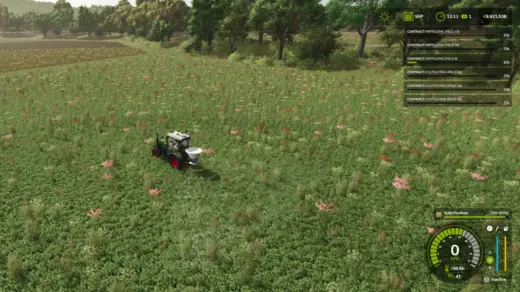

It must be junk, they update it every day
Lol i dont give support here, go to kingmods or my github page to open a issue or comment. Brainless dudes like to keep posting on here 😀
lol well i did in fact post to both here an king mods just to cover the bases but not all of us brainless dude have a github account to post bug reports with…..yeesh feels like you a a lil spicy about it , just trying to help …..
not everyone has a git hub account , i posted this in KM as well, also i resolved the issue by reinstalling the mod
excuses
i wish i could be more helpful , but after this update , when i paint ground textures in the const menu, when right clicking to change brush shape it now gates the cursor to a spot in the center of the screen always pulling it back to that spot when you move the mouse , this could be from any number of mods its conflicting with my list is extensive so i cant narrow it down for you but i can tell you it only started since this update
Can you make a Youtube video what changed compared to vanilla base game?
1.8.3 & 1.8.4 cause game to freeze on menu and field data is empty again.
this new update is terrible. I deleted it.
quit updating please! soil monitoring isn’t working again! Walk onto field shows nothing now.
soil monitor not working since update
does this work yet
Похоже это тот-же автор мода “Благосклонность к NPC”! Тоже не работает! Какие-то сообщения про команды выдаёт в начале и всё!
Bad mod, doesn’t work
how to get analyses or what we need to do ?
ne fonctionne pas avec le précision farming de plus nous ne pouvons plus changer la fenêtre d’ affichage de la carte a revoir
Is it compatible with Precision Farming?
i second that question.
dont bother doesnt work