
 June 5, 2026 in

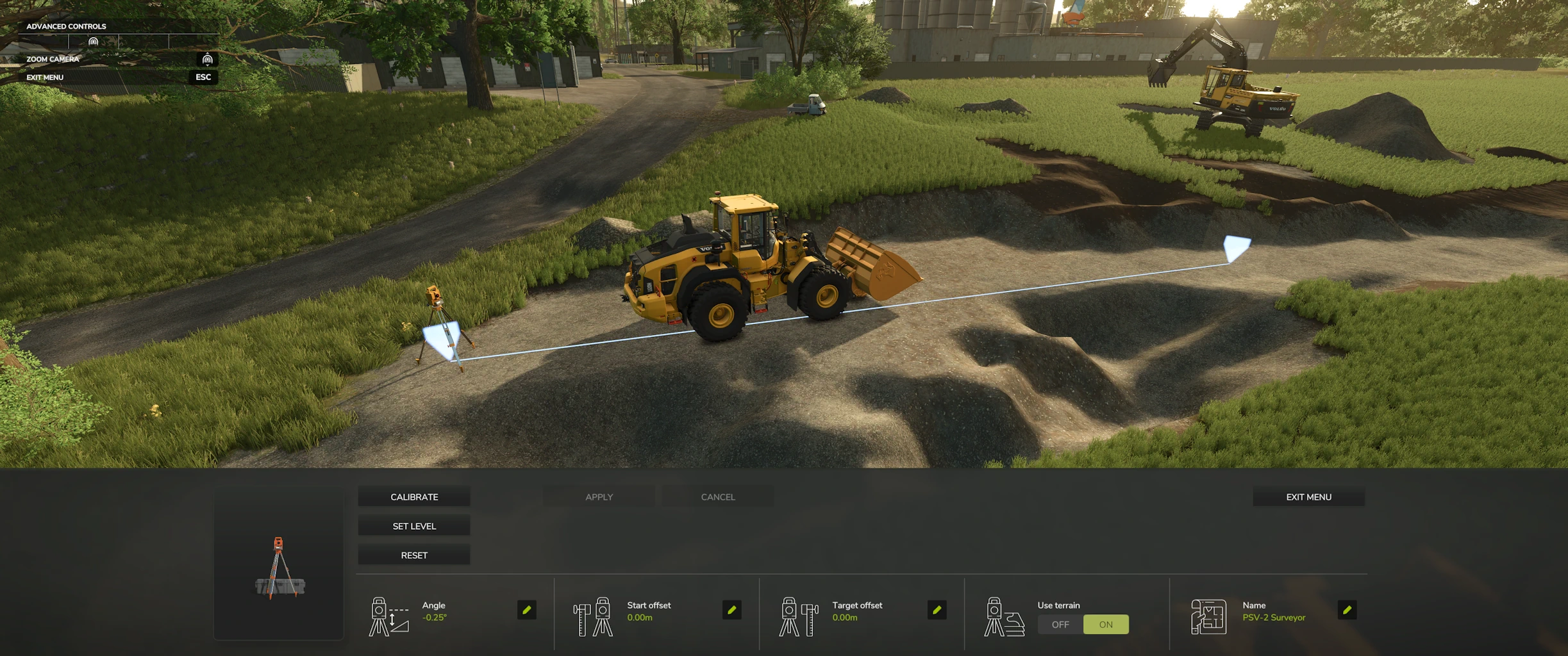
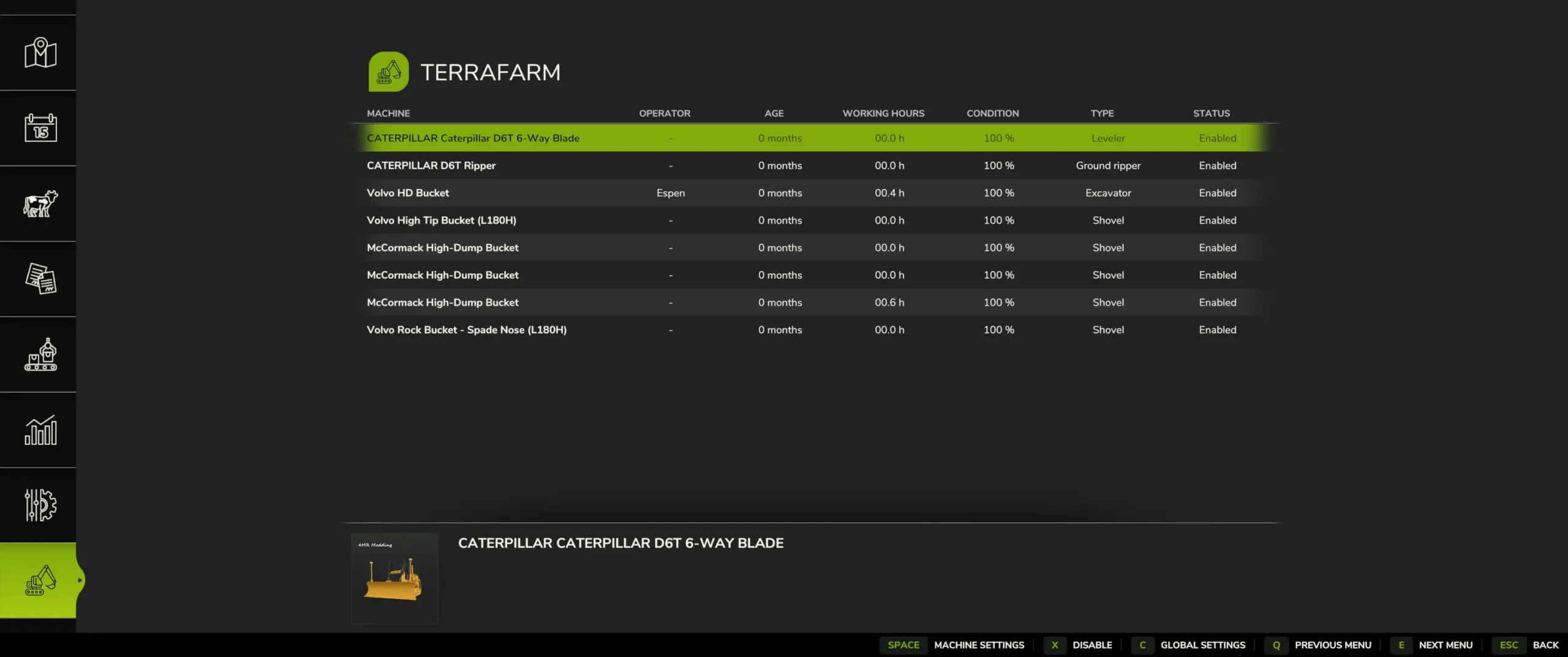
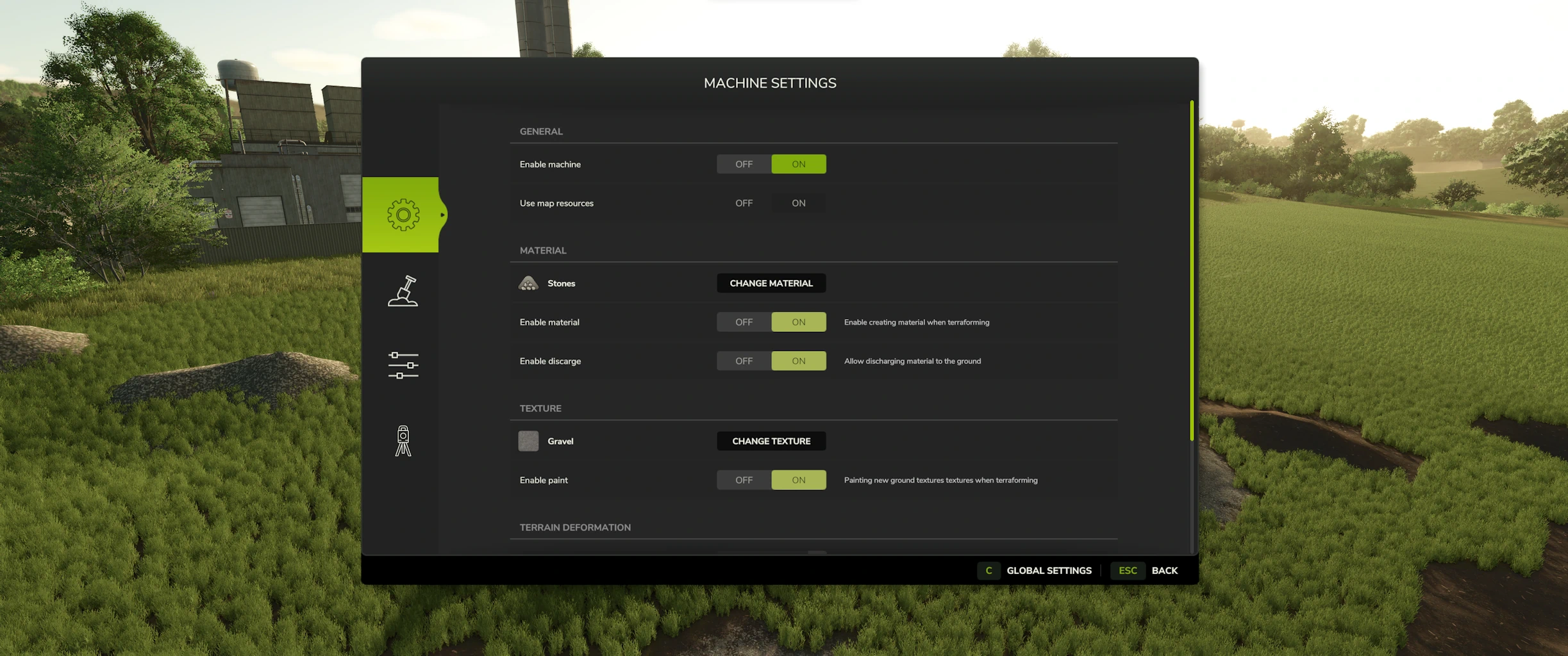
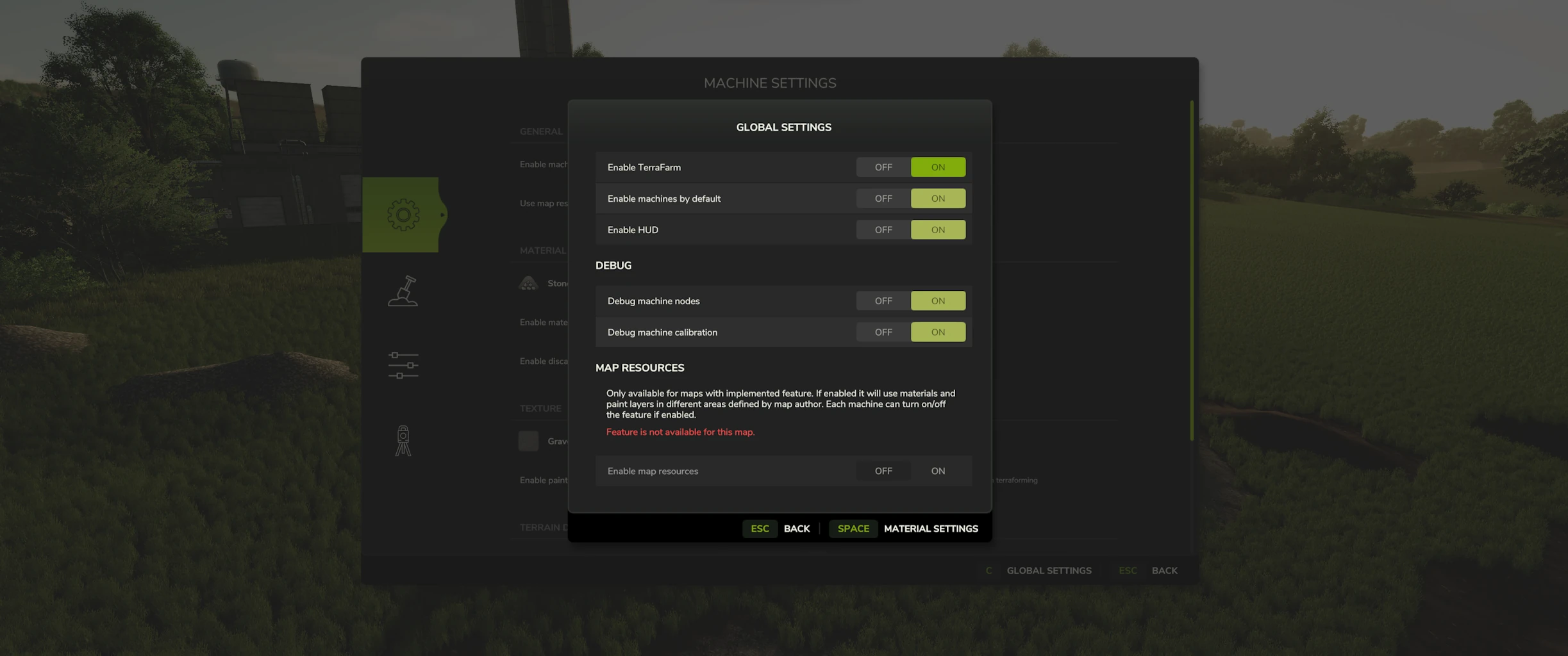
Tired of using the landscaping tool to carve out your land? Not satisfied with using fill types on the ground to supply your mining team? No worries, with TerraFarm you can shape your own land using the equipment of your choice.
Download machine addons
For supporting 3rd. party machine configurations
Official machines addon mod
Download the latest FS25_0_TerraFarmMachines.zip and copy/move it into your FS25 mods folder.
Multiplayer
Multiplayer is fully supported. In order to use machines, players will need to have either landscaping permission, be farm manager or granted admin access. Farm managers can disable/enable machines owned by the farm, and admins can control global settings.
Materials
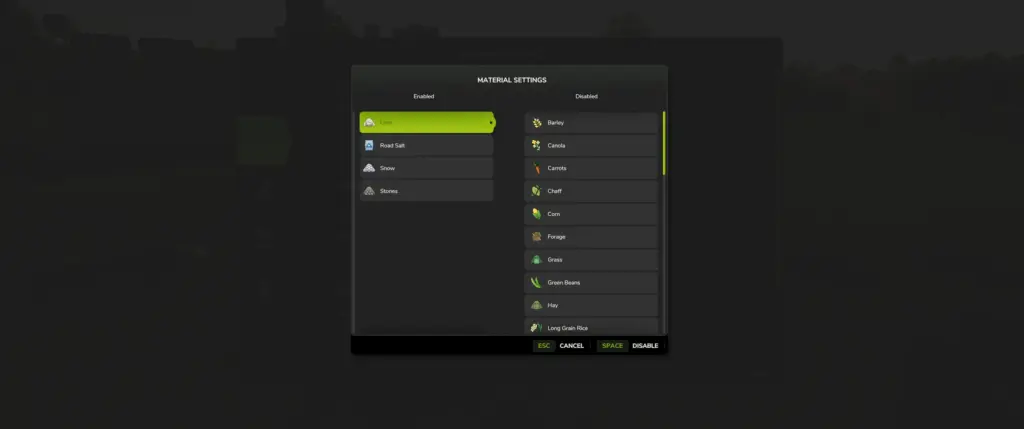
All materials available on map, including mods adding filltypes, will be available for players to use. There is also a material settings dialog where you can control which materials players can select (SP and MP).

Supported equipment
TerraFarm integrates support for base game equipment and upcoming DLC equipment when applicable.
TerraFarm supports vehicle specialization for modders to integrate configuration(s) directly into their mods as well as addon mods with configurations.
Base game
– Albutt front loader bucket
– Holaras MES 400 leveler
– Magsi telehandler bucket
– Magsi wheel loader bucket
– mcCormack overtipping bucket
– Paladin high dump bucket
– Volvo L120H general purpose bucket
– Volvo L120H high tip bucket
– Volvo L120H rock bucket
– Volvo L180H general purpose bucket
– Volvo L180H high tip bucket
– Volvo L180H rock bucket
Surveyor
A feature in TerraFarm is the option to use surveyor equipment to calibrate your machine(s). This allows you to level at a specific height or grade at a certain angle following the calibrated line.

FAQ
Console support (XBOX/PS)?
No, script mods are not available on consoles.
Does this mod add any filltypes?
No.
Known issues
On client side in multiplayer tire tracks doesn’t disappear when terraforming the landscape. This is because the game does not sync tire tracks in multiplayer. I may be able to fix this in a later version, but for now this is a very low prioritized visual bug.
Please note that terrain deformations are still a work in progress, so more adjustments will be worked on in the future.
Credits:
scfmod
Huge thanks to PeteyJ for creating the PSV2 Surveyor shipped with this mod.
Also a big thanks to the fellow modders from Jeremy Brown Modeling and Simulation and WZL Modding discord servers for all the testing and feedback on the FS22 version.
Download mod
| File | File size |
|---|---|
 FS25_0_TerraFarm_V1_6_3
|
490 KB |
|
FS25_0_TerraFarm_V1_6_2
|
489 KB |
|
FS25_0_TerraFarm_V1_6_1
|
489 KB |
|
FS25_0_TerraFarm_V1_6
|
488 KB |
|
FS25_0_TerraFarm_V1_5_0_1
|
480 KB |
|
FS25_0_TerraFarm_V1_5
|
480 KB |
|
FS25_0_TerraFarm_V1_4_3
|
331 KB |
|
FS25_0_TerraFarm_V1_4_2
|
331 KB |
|
FS25_0_TerraFarm_V1_4_1
|
331 KB |
|
FS25_0_TerraFarm_V1_3_1
|
329 KB |
|
FS25_0_TerraFarm_V1_3
|
327 KB |
|
FS25_0_TerraFarm_V1_2_1
|
19 MB |
|
FS25_0_TerraFarm_V1_2
|
19 MB |
|
FS25_0_TerraFarm_V1_1_3
|
19 MB |
|
FS25_0_TerraFarm_V1_1_2
|
19 MB |
|
FS25_0_TerraFarm_V1_1_1
|
19 MB |
|
FS25_0_TerraFarm_V1_1
|
19 MB |
|
FS25_0_TerraFarm_V1_0_2
|
19 MB |
|
FS25_0_TerraFarm_V1_0_1
|
19 MB |
|
FS25_0_TerraFarm_V1
|
19 MB |
|
FS25_0_TerraFarm_V0_9_0_6
|
19 MB |
|
FS25_0_TerraFarm_V0_9_0_5
|
19 MB |
|
FS25_0_TerraFarm_V0_9_0_3
|
19 MB |
|
FS25_0_TerraFarm_V0_9_0_2
|
19 MB |
|
FS25_0_TerraFarm
|
19 MB |
Ive been learning to fix the mods to where they simply work. Don’t be afraid, just be the guy to fix them, is what my dad taught me. Have a blessed time playing.
dumb question but do I have to delete the old version every new update? or do I keep adding to the new ones without removing old version?
nice
i have a question it will not let me dump the materials that i load into a truck on the ground when i have tip anywhere mod as well as the filltypes for all one it wont let me tip it on the ground
once i redownloaded the new version, mod list in game home menu says its there, when i press on my world it says im missing the mod, but when it shows my mod list before playing its there, but in world i can use the landscaping area feture, but machines dont have the O too operate option
qbsolutly love this mod but id idsables the button to exet the world i walway have to quit to desktop and reopen the game inortder to start a new server pls fix idk if its this mod ar a different mod
This may be a stupid question, but is there a specific setting that activates this? I have a ton of compatible equipment, but nothing seems to work. Or is it only working on certain maps as well? I have used it in the past, but for some reason its broken
you have to press ‘o’ to activate it and when the slit things in the front of the bucket turn purpal it is good to go!
this is so cool made terrafarm a lot easier
Hey,
i downloaded the last version and lost my lazer/laser to keep things on level,
does anybody else know why?
Surveyor was removed in version 1.3.0.0 and is now replaced with Landscaping area feature
Here is what I have found. First, I want to say we all appreciate the modders work. However, every time I have updated this mod it always limits the machines I can use. So, I just uninstalled the updated version and went to the very first one the modder created, and it works with all machines even ones that have fixed blades or buckets. My thought, why update, if it doesn’t keep working with all machines that can alter terrain? So just delete this one and go back to original. PRO TIP, make sure that you get a copy of his first and never lose it, some modders like to force you to use updated version.
It is because you have to download the mod from the official GitHub page
tried installing updated file but lost ability to us with volvo fake capacity bucket volvo 180 mod
Yo! This is an awesome Mod! THANKS!!!!
BRO ITS NOT WORK TUTORIAL!!!!
downloading, and puttin the mods in the PDLC/MODS folder is not hard… BUT, SPENDING Hours trying too figure out what ones work or dont work.,. should delete all older version, and just leave newest version up. Old versions and new version mixed together cause TFARM Issues..
update crashes my game
I apologize for being a noob to downloading and installing mods, hopefully y’all can cut a guy some slack, I am an old hand at the FS series, been playing the console version since fs17.
Currently I am playing on PC, but doing so using the xbox app. I can see the files for the game, but I don’t see one called ‘mods’ in which to install the files to. Do I need to create a folder, and if so, what folder do I create it in for it to work properly?
It would really rock if Giants would pick up these mods for the official download page within the game itself, but until then, if anyone would help me out with this, that would be most awesome.
i got u all you need to do is press windows button at the same time press r on ur key pad and type %appdata% and ok then up top prees appdata then local find packages then find giantssoftware.farmingsimulator25pc blablabla k now localcache and then local and find mod there u go.
If your using steam, there is no MODS folder on my fs25, BUT, i always was told too install into the PDLC FOLDER…
look for the PDLC folder, install all mods in that..
ie: C:\Program Files (x86)\Steam\steamapps\common\Farming Simulator 25\pdlc
Mod folder is under your “Documents\My Games\FarmingSimulator2025\mods”
Looks great on YouTube but sadly nothing seems to work apart from the heavy roller none of the diggers or excavator work I would love to be able to move dirt like a gold miner but we don’t always get what we want 🤣
I HAD T’F WORKING With fsminers #11 packs, i downloaded new v2 of machines, and t.farm, and now i got nothing but the giant tfarm stuff working.. non of the t-f works on any of other machines now.. do i have to delete other older versions of tfarm?
cual es el ultimo
Would be nice to have better dirt physics when digging and dumping
keeps saying i dont have it or error when i try to play with my buddy any ideas?
What maps does it work on?
what
Are we getting a new Terrafarm machines too? I don’t understand how to add them myself.
https://tse3.mm.bing.net/th/id/OIP.Xei4vrzuvmFYM0XPQ47nxAHaEK?rs=1&pid=ImgDetMain&o=7&rm=3 IT HAS DETACHABLE BUCKETS AND THEY DONT WORK WITH TERRA FARM
it keeps telling me to rename the file when I go to the machines menu on the pause screen but even after I do I still get the same message and it says unless fixed could cause mod conflict
I had the same problem. I went and downloaded it directly from their github and that warning went away.
how do you do this?
the very bottom option is the correct one i believe
me too, delete all TFARM FOLDERS, AND RELATED, And download newest one, or one of the bit older ones.. they seem too conflict eachother…
alot of my mods wont work
THAAAAANKS A LOOOOOT For your hard work ! I was waiting for this mod to start my new youtube fs career and now the show must go on B) Also did you put the tuto to add our proper modded bucket like you did for fs22 one ? Because i’m modding too and need to add my buckets ^^ Thanks again !